What is Click-to-Fax?
Click-to-Fax lets you send a fax from a web browser instead of a fax machine. You sign in to your BaronTEL client portal, type a message or upload a document, enter the destination fax number, and click send. BaronTEL converts the file and transmits it over the phone network to the receiving fax machine, then logs the delivery confirmation. Incoming faxes arrive as PDF files in the same portal. Everything runs on BaronTEL's own servers in Canada and is carried by a Canadian upstream carrier, encrypted in transit. Click-to-Fax is included when you add a fax extension and a fax number to your BaronTEL service. BaronTEL has maintained 99.99% network uptime, with zero unplanned outages in the past year.
Four steps, about thirty seconds
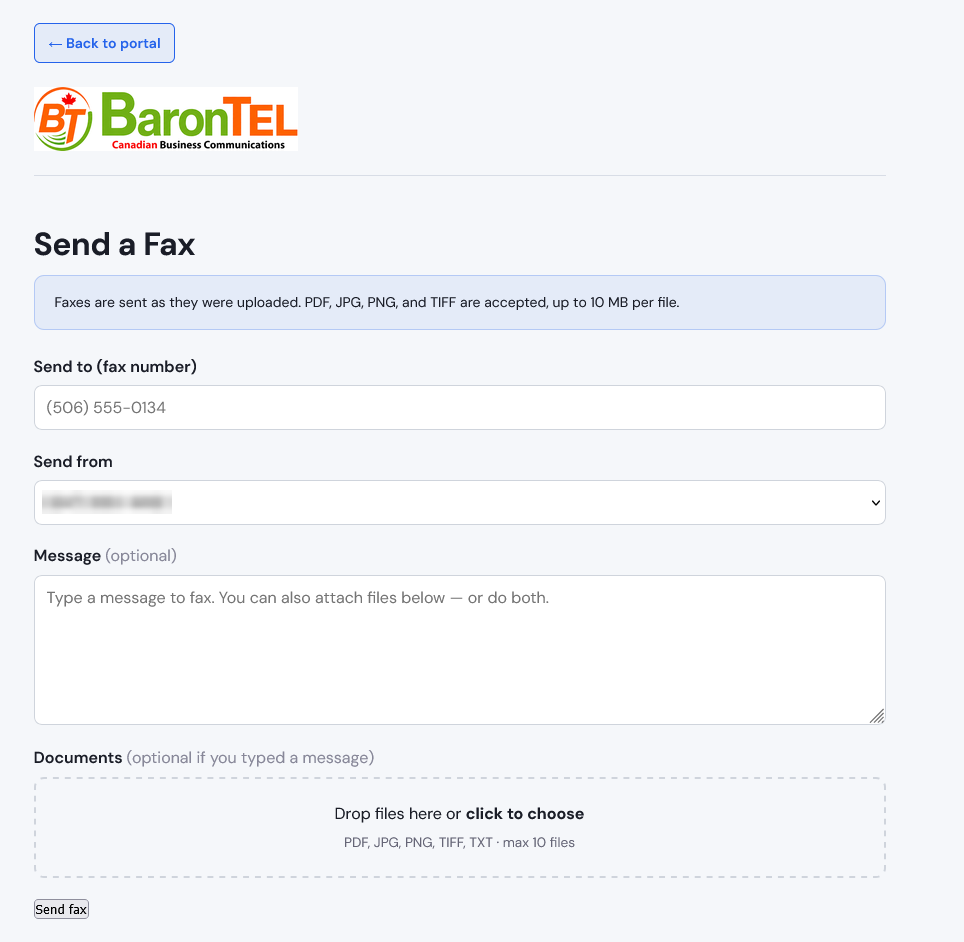
Everything happens in your browser. Nothing to install, nothing to plug in.
Sign in to your portal
Every BaronTEL fax customer gets a private, password-protected portal with faxes, sent history and delivery confirmations in one place.
Type or attach
Send a typed note as a fax without opening a word processor, attach up to ten documents, or do both in a single send.
Choose your number
If your business has more than one fax number, pick which one it sends from. The recipient sees your business, not ours.
Get confirmation
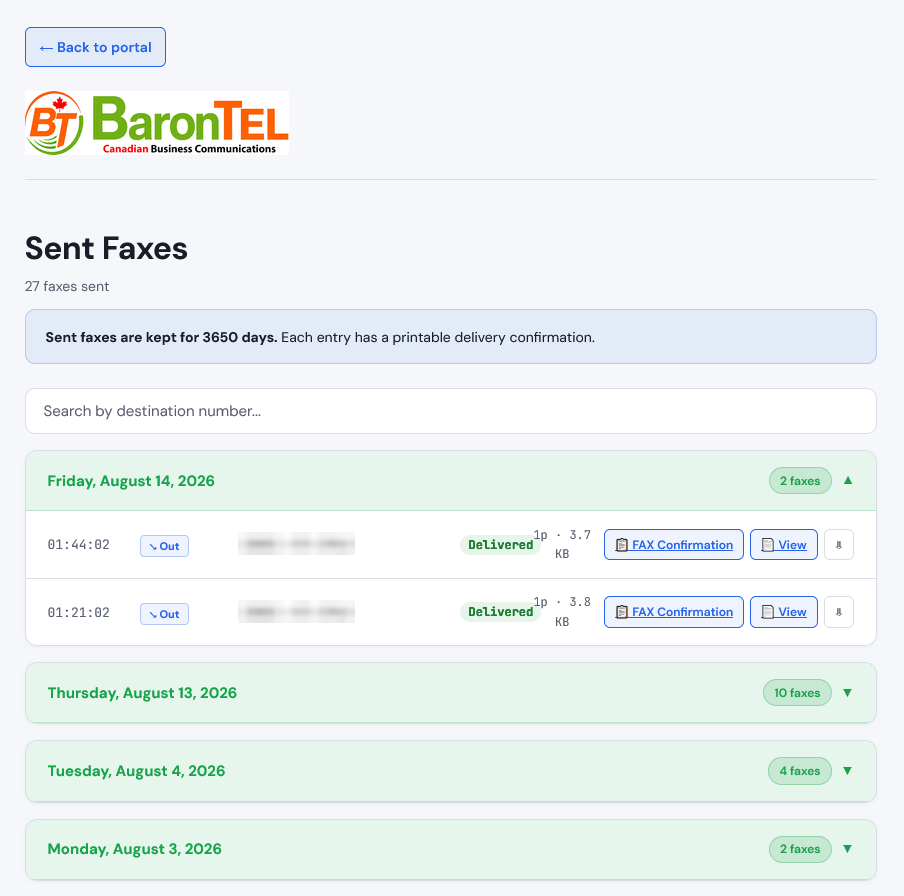
Time, destination, page count and delivery status are logged automatically, with a printable confirmation attached.
Proof it arrived
A fax machine gives you a slip of thermal paper that fades. Click-to-Fax keeps a permanent record of every fax you have ever sent, searchable by destination number — which matters when a client or an insurer later asks whether a document was actually transmitted.
- ✓Date, time and destination number logged automatically
- ✓Page count and delivery status on every entry
- ✓Printable delivery confirmation you can file or forward
- ✓Search your entire sent history by destination number
Incoming faxes arrive as PDFs
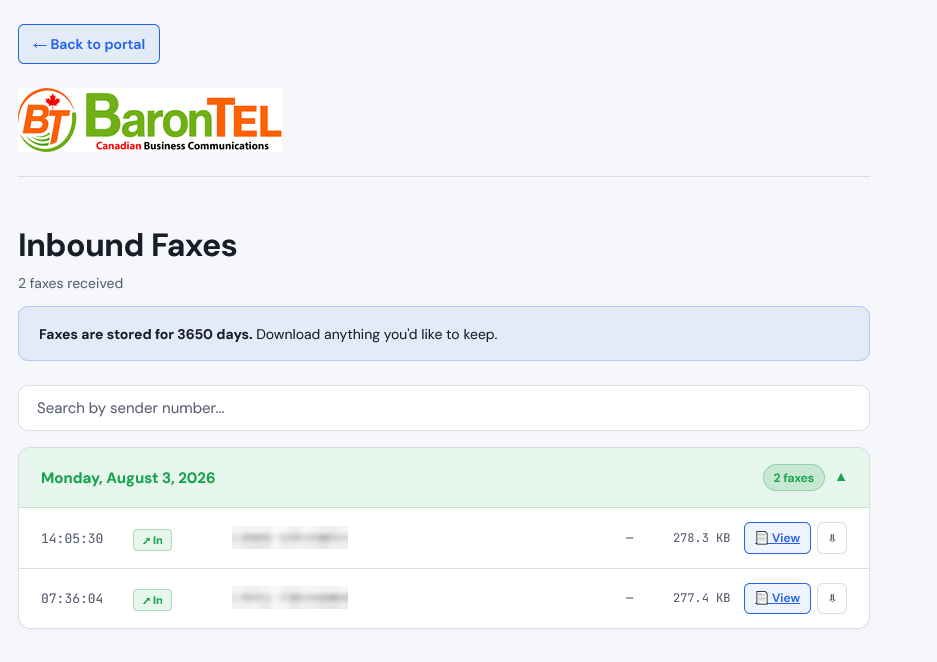
Every fax sent to your BaronTEL fax number is captured, converted to PDF and filed in your portal, tagged with the date, time and caller ID of the sender. Nothing prints, nothing jams, and nothing sits in a tray overnight where anyone walking past can read it.
Faxes are kept for ten years, searchable by sender number, so you can pull one back up long after the fact without digging through a filing cabinet. Download anything you want to keep locally.
Why businesses drop the machine
Traditional fax machine
- ✕Needs a dedicated copper line, billed monthly whether you fax or not
- ✕Hardware to buy, service, refill with toner and eventually replace
- ✕Incoming faxes sit in an open tray anyone can walk past
- ✕Confirmation is a thermal slip that fades and gets lost
- ✕Only works when you are standing in front of it
- ✕Jams, busy signals and out-of-paper failures
Click-to-Fax
- ✓No analog line and no separate fax service to pay for
- ✓Nothing to buy, install or maintain
- ✓Faxes land in a password-protected portal, not a tray
- ✓Permanent, searchable delivery confirmations
- ✓Send from the office, from home, or on the road
- ✓Up to ten documents merged into a single fax
Your documents stay in Canada
Faxes move from your browser to BaronTEL's own servers in Canada, then to our Canadian upstream carrier, then to the destination.
Canadian infrastructure
Our own servers in Canada and a Canadian upstream carrier. Your documents are not handed to a third-party fax service and are not routed through the United States.
Encrypted in transit
Traffic between your browser, our servers and the carrier is encrypted using TLS and SRTP, and faxes are stored behind portal authentication.
Canadian-owned since 2012
100% Canadian-owned, serving businesses coast to coast, which keeps your business communications squarely within PIPEDA's framework.
Built for the businesses that still fax
Fax has not gone away in these industries — the machine has.
Medical & Dental
Referrals, requisitions and results, without a machine sitting in a hallway where the pages are visible to anyone walking past.
Law Firms
Signed documents and filings, with a permanent delivery confirmation for every transmission on the file.
Accounting
Client paperwork arriving as PDFs already filed by date and sender, ready to attach to the engagement.
Insurance Brokers
Carrier submissions sent from any office or from home, with proof of transmission on every one.
Pharmacies
Incoming prescriptions captured as PDFs the moment they arrive, no paper and no missed pages.
Property & Real Estate
Offers, waivers and lease documents, sent and received without a dedicated fax line at every location.
Included with a fax extension and number
Click-to-Fax works alongside your existing phone system — you do not need to change plans or add users to get it. If you already have a fax number with another provider, we can port it over and nothing on your letterhead needs to change.
Click-to-Fax questions
Ready to retire the fax machine?
Talk to someone in Canada who can set it up with you.
1-888-241-8647Canadian support, no handoffs